2026 Mac mini M4 AI server on a rented 16GB host: three workload lanes (Ollama/MLX, API client, OpenClaw), memory gates, and a twelve-step smoke matrix
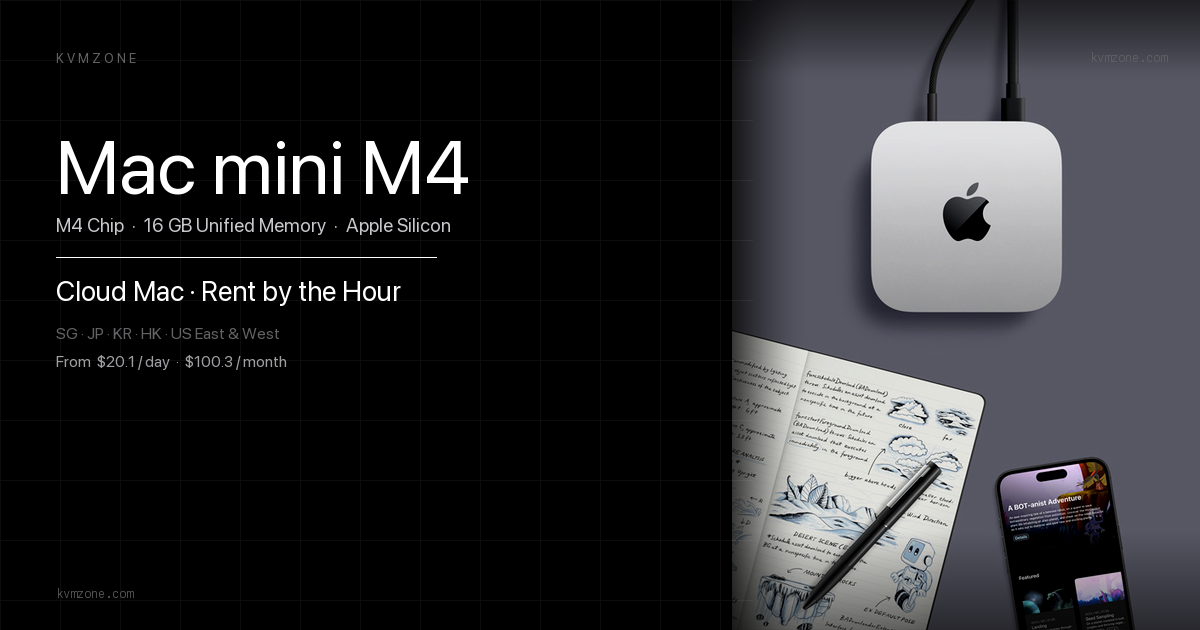
“Mac mini as AI server” is not one product decision—it is a lane choice. Teams rent Apple Silicon Mac mini M4 hosts with 16GB unified memory to run one of three disciplined roles: local inference (Ollama or MLX with 7B–8B quantized models), API client orchestration (Gemini or other cloud models without on-device weights), or agent automation (OpenClaw-style webhooks and skills). This playbook gives finance a quotable matrix for which lane fits 16GB, when 1TB/2TB disk add-ons beat heroic swap tuning, how six KvmZone regions affect latency, and a 12-step smoke ladder that proves the host is an AI server—not a generic remote desktop.
Disclosure: KvmZone is the Mac rental provider referenced in this article. Pricing data is sourced from KvmZone's published rate sheet and Apple's official Mac mini specifications.
Three AI server lanes on 16GB unified memory
| Lane | What runs on the Mac | Typical stack | 16GB fit |
|---|---|---|---|
| A — Local inference | Quantized LLM weights on disk; Metal via Ollama or MLX | 7B–8B Q4_K_M (~5–6GB resident) | One model lane; modest context; monitor swap |
| B — API client host | SDKs call remote frontier models; secrets and logs on server | Node/Python clients, batch agents | Best default on 16GB; pairs with Gemini 3.5 Flash API guide |
| C — Agent orchestrator | Daemons, webhooks, skills directories | OpenClaw, launchd runners | Fits with strict disk budgets; see hour-zero install contract |
Lane A: Ollama / MLX local inference gates
Apple Silicon shares 16GB across CPU, GPU, and system—there is no discrete VRAM pool. Operators running local LLMs should:
- Target 7B–8B models at Q4_K_M; expect roughly 25–35 tokens/second class throughput for 8B on M4 (informal lab band—not a SLA).
- Keep model resident footprint near or below ~60% of unified memory (~9.6GB) for stable long contexts.
- Store weights on fast APFS with ≥25GB free before pulling new models; use Git/disk matrix discipline when models live beside repos.
Official starting points: Ollama documentation and MLX project docs—verify versions in your runbook, not from memory.
Memory and disk matrix for AI server roles
| Signal | Yellow band | Action |
|---|---|---|
| Swap vs baseline | >15% after 30-min inference job | Stop second lane; read unified memory playbook |
| APFS free | <18GB before model pull | Pause downloads; evaluate 1TB tier |
| Model library + caches | >120GB planned | 2TB add-on or second host per rent-term matrix |
| SDK + local model | Both active | Split hosts—cheaper than a week of swap babysitting |
Disk truth: Larger SSD does not add RAM, but faster swap on spacious APFS reduces stall time when Lane A or C spikes I/O.
Six-region placement for AI server workloads
KvmZone nodes: Hong Kong, Japan (Tokyo), Korea (Seoul), Singapore, US East, US West.
| Workload | Region hint |
|---|---|
| Lane B API clients for CN business hours | Hong Kong or Singapore |
| JP compliance copy + reviewer time zone | Tokyo |
| KR automation adjacent to Seoul reviewers | Korea (Seoul) |
| US Pacific evening batch inference | US West |
| EU handoff windows | US East |
Pick the node closest to humans reading logs, not the model vendor's marketing region name. Compare regions on the pricing page before committing.
Twelve-step AI server smoke ladder
| Step | Gate | Pass |
|---|---|---|
| 1 | SSH | Non-interactive shell as automation user |
| 2 | Node (Lane B/C) | Major 22+ if JavaScript stack present |
| 3 | Lane declaration | Written: A, B, or C primary |
| 4 | Disk free | ≥18GB (Lane A: ≥25GB) |
| 5 | Lane A only | ollama run or MLX smoke with 7B–8B model |
| 6 | Lane B only | API test call without printing secrets |
| 7 | Lane C only | Webhook or skill health check |
| 8 | Memory | Swap delta <15% after 20-min job |
| 9 | Logs | Rotation cap 512MB |
| 10 | Reboot | launchd restores declared lane |
| 11 | Region | Document node in runbook |
| 12 | Finance | Screenshot + invoice week ID stored |
Rent vs buy for an AI server role
Dedicated purchase makes sense when Lane A runs daily with stable 8B models and you control physical security. Rent wins when you need six-region POP, finance wants OPEX, or you are piloting Lane B/C before capital approval—cross-read buy vs rent TCO for breakeven months.
KvmZone disclosure: rental pricing is on the published rate sheet linked from each locale's pricing page.
FAQ
Related reading
- 2026 AI Coding Compute Guide: Cursor vs Copilot vs Claude Code
- OpenClaw + local Ollama on rented Mac mini — Lane A + C coupling
- MiroFish multi-agent prediction on rented Mac mini — agent orchestration lane
- Gemini 3.5 Flash API on rented Mac mini — Lane B deep dive
- OpenClaw hour-zero install contract — Lane C install
- Unified memory pressure playbook — swap triage
- M4 vs M5: buy, wait, or rent — mid-2026 hardware timing
- NVIDIA RTX Spark 128GB unified memory — COMPUTEX 2026 Windows lane
Compare lanes and regions before you rent an AI server host
Compare six-region Mac mini M4 rentals on pricing, document your primary lane (A/B/C), and pass the twelve-step smoke ladder before production traffic.