2026 AI Coding Compute Guide: Cursor, Copilot, Gemini/Codex CLI & Claude Code
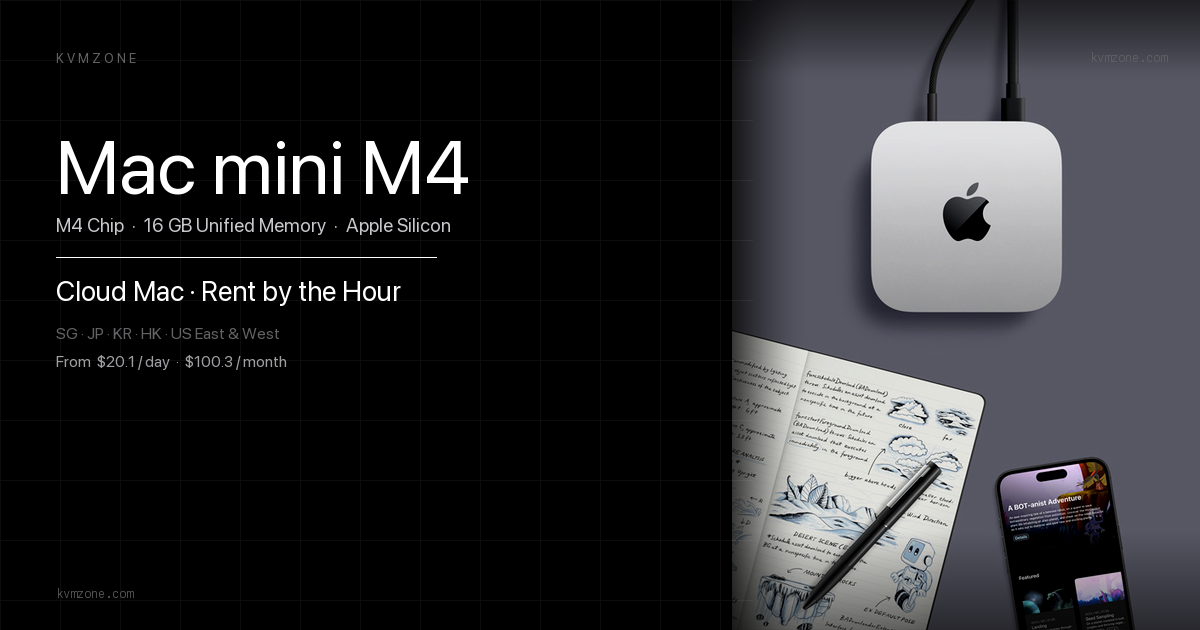
In 2026, every AI coding stack still burns local RAM—even when inference runs in the cloud. Cursor indexes your repo and hosts an Electron shell; GitHub Copilot stays lighter; Claude Code, Gemini CLI, and OpenAI Codex CLI lean terminal-first but spike memory when MCP servers and ripgrep caches load. This guide ranks who eats the most unified memory on Apple Silicon and when a rented cloud Mac mini beats a $799+ purchase.
For IDE-native agents vs BYOK subscriptions, see the Xcode 27 coding agents breakdown. For local model lanes on 16GB, read the Mac mini M4 AI server matrix.
Official references: Cursor system requirements, GitHub Copilot documentation, and Claude Code overview.
Disclosure: KvmZone rents Apple Silicon Mac mini hosts. Measurements below are 2026 field bands on M4-class hardware (16–32GB); your repo size and MCP count shift peaks.
Why local RAM still matters in 2026
Cloud models answer tokens remotely, but your Mac still holds: IDE/Electron shells, embedding indexes, Language Server Protocol (LSP) workers, Docker sidecars, iOS simulators, and MCP tool processes. Swap on 8GB unified memory makes Cursor and Xcode agents feel broken long before API rate limits hit.
Rule of thumb: budget baseline IDE RAM + 4–8GB headroom for agent spikes. Below 16GB, pick Copilot or thin CLIs—not Cursor plus simulators.
2026 compute matrix: five stacks compared
| Tool | Idle RAM (typical) | Peak RAM (heavy repo) | Local CPU load | Disk index | Cloud dependency |
|---|---|---|---|---|---|
| Cursor | 2.5–4 GB | 12–18 GB (index + chat + LSP) | High during index rebuild | Large (~/.cursor, embeddings) | High (models remote; index local) |
| GitHub Copilot | 0.8–1.5 GB atop VS Code | 4–7 GB | Low–medium | Small (no full-repo embed by default) | Very high (completion API) |
| Claude Code CLI | 1.5–3 GB | 6–10 GB (MCP + ripgrep) | Medium bursts | Moderate (session cache) | High (Anthropic API) |
| Gemini CLI | 1–2.5 GB | 5–8 GB | Low–medium | Light | High (Google API) |
| OpenAI Codex CLI | 1–2.5 GB | 5–9 GB | Medium in agent mode | Light–moderate | High (OpenAI API) |
Tool-by-tool: what drives the spikes
Cursor
Cursor forks VS Code and adds repo-wide indexing and multi-model chat. Opening a 50k-file monorepo can push 12GB+ before you run tests. Pairing Cursor with Docker + iOS Simulator on a 16GB Mac mini is the most common 2026 swap-thrash scenario.
GitHub Copilot
Copilot adds inline completion and chat inside VS Code or JetBrains—no full-repo embedding index by default. Peak RAM tracks normal IDE usage. Best fit for 16GB rented nodes when you only need completions, not autonomous refactors.
Claude Code
Terminal-first agent with file search, bash, and MCP. Base footprint is modest; peaks come from parallel tool calls and large context buffers. See also deploying Claude Code on a cloud Mac mini for headless setups.
Gemini CLI and Codex CLI
Both are thin clients over cloud APIs. Local cost rises in agent loops (many subprocess spawns) and when you attach local linters. They beat Cursor on 8–16GB hosts if you do not also run a heavy GUI IDE.
Cloud Mac mini savings: rent vs buy
| Scenario | Buy M4 16GB (~$599+) | Rent 16GB cloud Mac (~$49–79/mo) | Rent 24GB cloud Mac |
|---|---|---|---|
| 3-month agent sprint | $599+ CAPEX | ~$147–237 total | ~$177–297 if Cursor-heavy |
| 12-month daily Cursor | Breakeven ~month 10–14 | Higher OPEX | 24GB avoids swap; often <32GB BTO |
| Copilot-only CI lane | Over-buy for light RAM | 16GB rent optimal | Usually unnecessary |
| Two regions (US + SG) | 2× hardware | 2× rent still < 2× Mac | Same |
Ultimate savings play: rent 16GB for Copilot/CLI lanes; rent 24GB for Cursor + Simulator; buy only after 12+ months of sustained load. Mainland teams often pair a Singapore or Hong Kong node for npm and egress—see pricing on the plans page.
Recommended path
| If you… | Stack + hardware |
|---|---|
| Live in Cursor + monorepo | 24GB cloud Mac or local; never 8GB |
| Want cheapest completions | Copilot on 16GB rent |
| Automate refactors headless | Claude Code CLI on 16–24GB rent |
| Test Gemini / Codex agents | 16GB rent; keep GUI closed |
| Need Xcode 27 + agents too | 24–32GB; compare native IDE agents |
FAQ
Related reading
Match RAM tier to your AI stack
Cursor-heavy? Rent 24GB. Copilot-only? 16GB cloud Mac mini from ~$49/mo beats a rushed $599 purchase.