The Gemini Twist: Inside Apple's New Siri AI Standalone App and Google-Powered Architecture
WWDC 2026 delivered what two years of Apple Intelligence teasers promised: a rebuilt assistant branded Siri AI—not a ChatGPT handoff, but Google Gemini models acknowledged on stage as the foundation for Apple's next Apple Intelligence wave (Apple Newsroom, June 8, 2026; TechRadar live blog).
The product shape is new: a dedicated Siri app that stores private conversational history synced across iPhone, iPad, and Mac via iCloud—start on phone, continue on Mac (TechRadar, 17:48 PT update). On iPhone, the primary surface is still Dynamic Island; on Mac, Siri expands through Spotlight and dedicated windows (TechRadar, 17:45–17:53 PT).
The camera story is equally loud: Siri mode in the Camera app is Visual Intelligence unburied—shutter shows the Apple Intelligence logo, and demos include restaurant bill splitting with Apple Cash and nutrition insights from a plate of food (MacRumors Visual Intelligence recap). For pre-keynote licensing context ($1B/year, 1.2T-class Gemini), read our WWDC eve briefing.
Developer reality check: Siri AI dev betas ship June 8, 2026 on iOS 27 / macOS Golden Gate; full expressive voices skew to iPhone 17 Pro / Pro Max / iPhone Air per TechRadar's compatibility write-up. EU and China: not at launch (DMA statement quoted on TechRadar). Mainland readers should plan API-side workflows (Gemini Flash on rented Mac) until Apple ships locally.
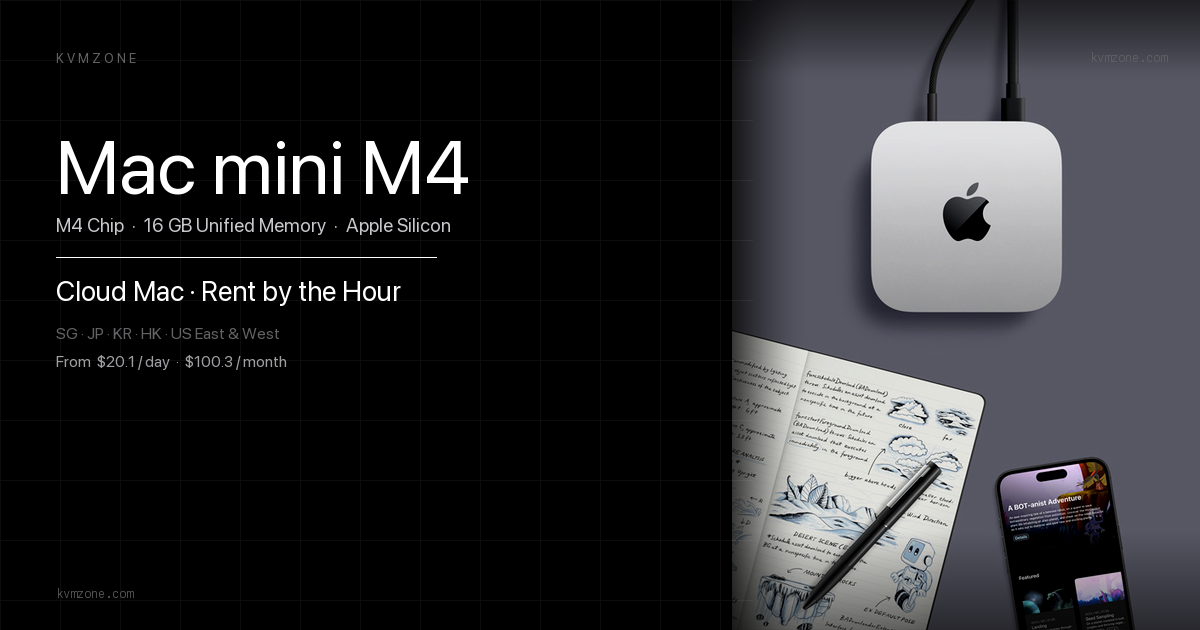
Disclosure: KvmZone rents Apple Silicon Mac mini hosts for Xcode, TestFlight, and macOS agent tooling. Siri AI runs on your iPhone/Mac; a rented Mac helps only if you flash macOS Golden Gate betas or ship App Intents—not because Gemini weights live on our servers.
Architecture: Gemini under the hood, Apple owns the shell
User → Siri app / Dynamic Island / Spotlight
     → Apple routing (on-device + Private Cloud Compute where applicable)
     → Google Gemini model tier (acknowledged partnership)
     → App Intents / Photos / Mail / Maps / Camera Siri mode
     → iCloud-synced conversation store (cross-device)
Layer table
| Layer | What Apple showed | What Google provides | What you control |
|---|---|---|---|
| UI shell | Dedicated Siri app, Island, macOS windows | — | Shortcuts / App Intents in your app |
| Reasoning | "Profoundly more capable" Siri AI copy | Gemini models on stage | Your backend if not using Siri |
| Vision | Camera Siri mode (Visual Intelligence) | Image understanding + web answers in demos | Custom CV only via your app |
| Privacy story | PCC + on-device gates (Apple narrative) | Licensed cloud inference | Audit entitlements in beta |
| Sync | iCloud conversation history handoff | — | Not your server unless you build parallel chat |
Apple's Newsroom lists supported hardware broadly (iPhone 16+, M1 Macs, etc.) while TechRadar notes tiered Siri AI quality by device—treat "supported" vs "full" as different rows in your test matrix.
What shipped in Siri AI vs still vapor
| Feature | WWDC 2026 status | Source |
|---|---|---|
| Dedicated Siri app | Announced; Island-first on iPhone | TechRadar 17:36–17:48 PT |
| iCloud cross-device chat | Announced | TechRadar 17:48 PT; Apple Newsroom |
| Gemini partnership named | On-stage acknowledgment | TechRadar 17:31 PT |
| Camera Siri mode | Visual Intelligence rebranded | TechRadar 17:50 PT; MacRumors |
| Bill split via receipt photo | Demoed | MacRumors June 8 |
| Food / nutrition insights | Demoed | MacRumors June 8 |
| CarPlay + AirPods | Siri AI extensions announced | TechRadar 17:40 PT |
| EU / China launch | Blocked at launch | TechRadar DMA quote |
| watchOS Siri AI | Future beta | Apple Newsroom |
Decision matrix: Siri AI vs your own agent stack
| If you need… | Use Siri AI (iOS 27+) | Keep Gemini API on Mac | Keep OpenClaw local |
|---|---|---|---|
| Zero-setup consumer voice | Yes (where available) | No | No |
| Custom tool loops / webhooks | Limited to App Intents | Yes | Yes |
| Mainland China ship target | No at launch | Yes (API egress planning) | Yes (local) |
| Receipt split / camera demos | Built-in | Build yourself | Overkill |
| Secrets on rented server | N/A | Yes | Yes |
| macOS automation beyond Siri | Spotlight Siri | API + scripts | AppleScript bridge |
Recommended path:
- If you build consumer iOS apps: implement App Intents this week; Siri will search Photos/Mail/Maps on user's behalf—be discoverable.
- If you build indie agents today: do not sunset OpenClaw/Gemini API; Siri AI is complementary until your region ships.
- If you need macOS Golden Gate beta now: flash a spare Mac or rent 16GB Apple Silicon per M4 vs M5 timing—Siri won't install betas for you.
Scenario A: voice-first users and Dynamic Island UX
Apple positions Siri AI predominantly in Dynamic Island on iPhone—swipe from results card into a chat that TechRadar compared to iMessage-style threads (pre-show rumor; confirmed as conversational UI).
Do this:
- Install iOS 27 developer beta only on a spare device.
- Test wake word + side button latency vs iOS 26 Siri.
- Start a thread on iPhone; continue on Mac Spotlight window—verify iCloud sync matches Apple's demo narrative.
- Toggle Siri mode in Camera; shoot a receipt and a nutrition label—validate bill-split and Health logging paths.
Avoid: Assuming EU/China behavior from US keynote demos.
Scenario B: hackers auditing Private Cloud Compute + Gemini
Apple will keep marketing on-device + Private Cloud Compute even while licensing Gemini. Your audit questions for beta week:
- Network: Does Siri AI call Google endpoints directly, or only Apple PCC relays? (Packet capture on beta device.)
- Data: Does conversation sync via iCloud use standard CloudKit encryption? (Check Settings → Apple ID → iCloud → Siri.)
- Fallback: When offline, which prompts degrade vs error?
- Third-party: Does disabling ChatGPT extension change routing now that Gemini is default?
Do this: Log prompts with benign test strings; compare to your existing rate-limit budget discipline for API agents.
CNY note: Until China launch, mainland teams keep ~¥730/month rented Mac for Xcode + API clients—not for running Siri models locally.
Six-step developer beta runbook
- Enroll device in Apple Developer Program; download iOS 27 / macOS Golden Gate beta from developer.apple.com.
- On Mac:
sw_versbaseline screenshot before upgrade. - Enable Apple Intelligence + Siri AI in Settings; confirm language English-only at launch per MacRumors.
- Open Siri app; create thread; verify iPad/Mac continuation.
- Camera → Siri mode → receipt photo → exercise bill-split UI if available in your region.
- File Feedback assistant radars for App Intent discovery issues in your app.
Troubleshooting
Symptoms: "Siri AI not available in your region."
Fix: Expected for EU and China at launch (TechRadar DMA quote). Use API agents or wait for regulatory resolution—do not sideload sketchy profiles.
Symptoms: Mac Spotlight shows old Siri only.
Fix: Confirm macOS Golden Gate build; full Siri window requires beta + supported M1+ Mac per Apple Newsroom list.
FAQ
Related reading
Need a clean Mac for Golden Gate betas?
Siri AI runs on your devices—not our servers. When you need a spare Apple Silicon host to flash macOS Golden Gate, test App Intents, or keep Xcode CI separate from your daily driver, compare six-region Mac mini M4 pricing.